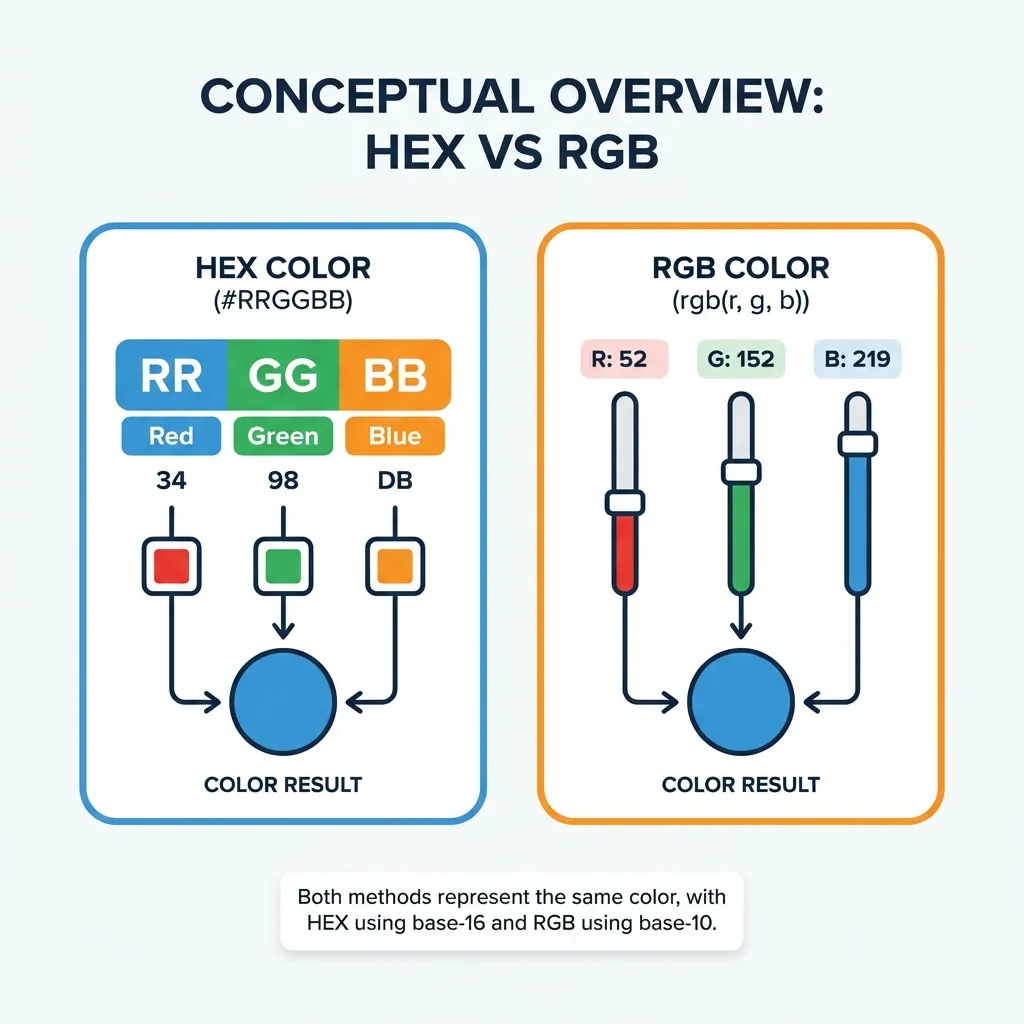
I only learned how to use RGB because I needed to animate a background color in JavaScript back in 2015. Hex codes couldn't be natively interpolated by the browser back then. I had to write a massive, brittle utility script to physically convert the hex string to an RGB array, animate the numbers mathematically in a requestAnimationFrame loop, and convert it back to hex on every single frame. It was a complete nightmare.
Today, CSS handles all of that mathematical interpolation for us natively. But the debate between using Hex codes and RGB values still trips up junior developers constantly. They are exactly the same colors, representing the exact same light output on your monitor. They just use completely different numbering systems. Here is the exact mathematical difference, and the specific scenarios where you should actually use them in a modern frontend architecture.
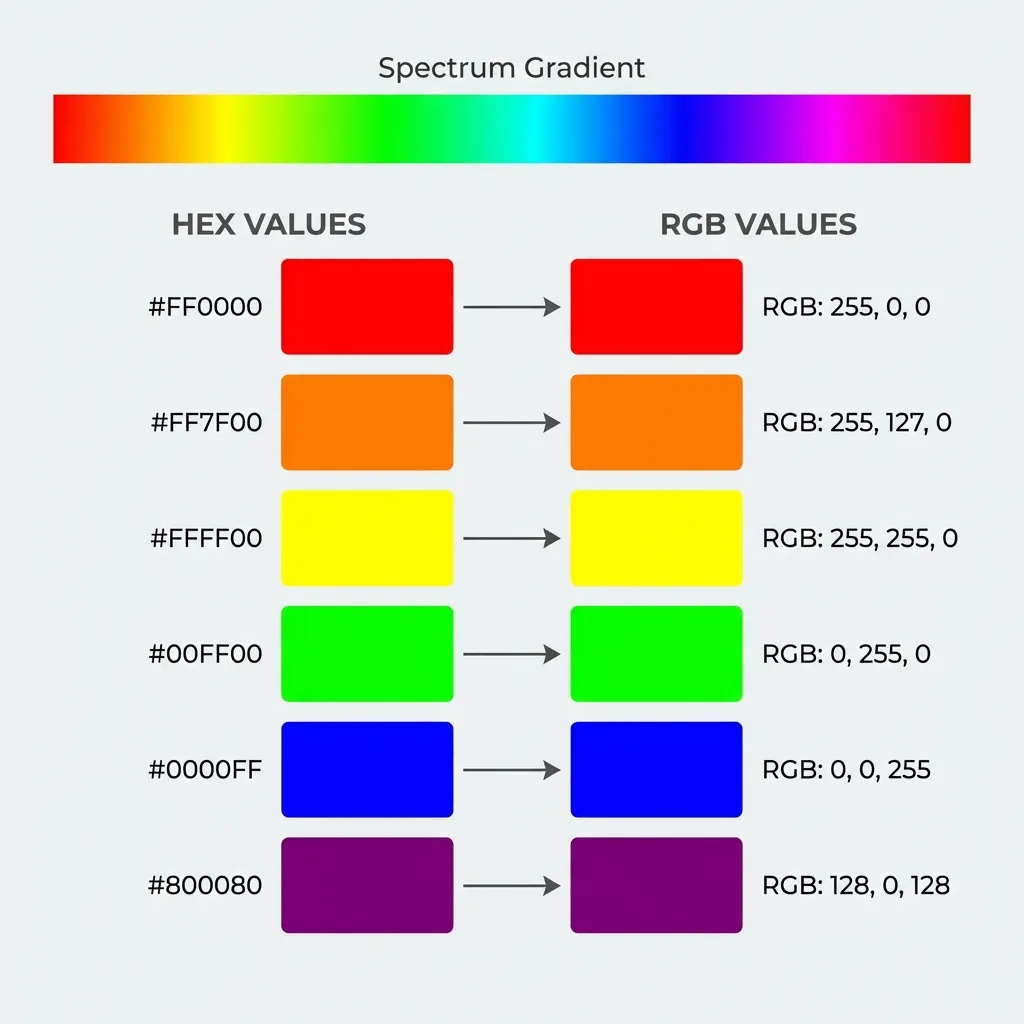
Base-16 versus Base-10 Mathematics
To understand the difference, you have to understand how computers count. RGB uses Base-10 math, which is what normal humans use every day. We count from 0 to 9, and then add a tens column. In CSS, rgb(255, 0, 0) means "turn the red pixels on your monitor to their absolute maximum power of 255, and turn the green and blue pixels completely off." It is highly explicit and easy to read.
Hex is short for hexadecimal, which uses Base-16 math. Instead of stopping at 9, Base-16 counts from 0 to 9, and then uses letters A through F to represent the numbers 10 through 15. The hex code #FF0000 is exactly the same instruction to the browser as the RGB value. The code is broken into three pairs. The first pair, FF, represents red. Since F is the maximum value (15), FF translates to 255 in Base-10 math.
I think using RGB without an alpha channel in 2026 is completely pointless. Hex is shorter to write, much easier to copy-paste without accidentally dropping a parenthesis, and it is the format natively exported by every major design tool from Figma to Sketch. If you are just declaring a solid background color or a text color, write the hex code. It saves bytes, saves screen real estate in your CSS files, and is universally understood by every developer on earth.
Where RGB absolutely dominates: Transparency
The only time RGB is strictly, functionally superior to Hex is when you need to manipulate the alpha channel (transparency). The rgba() function allows you to append a human-readable decimal value between 0 and 1.
If you want a black overlay for a modal with exactly 50% opacity, writing rgba(0, 0, 0, 0.5) is instantly readable to any developer who joins your team. They look at the 0.5 and immediately understand the intent.
You can technically do this in hex now. Modern browsers fully support 8-character hex codes, where the final two digits control opacity. However, there's a massive UX problem for developers here. To get 50% opacity, you have to write #00000080. No normal human being naturally memorizes that 80 is the Base-16 hexadecimal equivalent of 50%. The dumb solution that works is sticking to RGBA whenever transparency is involved. Don't force your team to pull up a hexadecimal conversion chart just to understand how dark a shadow is.

The CSS variables workaround nightmare
Where this entire debate gets incredibly weird is when you try to use CSS variables (custom properties) combined with opacity. If you define your primary brand color as a hex code at the root level (--primary: #FF0000;), you cannot easily add opacity to it later in standard CSS. You physically cannot write rgba(var(--primary), 0.5) because the hex code includes the hash symbol, which completely breaks the CSS function parser.
There's no clean native solution to this in vanilla CSS without relying on modern CSS Color Level 4 functions; the workaround is extremely ugly. You have to actively store the raw RGB integer values as the variable itself, entirely stripping out the hex code. You define it like this: --primary-rgb: 255, 0, 0;. Only then can you write rgba(var(--primary-rgb), 0.5).
(I actually had to refactor a 10,000-line global stylesheet for a massive e-commerce client in 2021 specifically to rip out hundreds of hex codes and replace them with raw RGB strings, just to fix a single cascading opacity bug in their button components.)
The modern color-mix alternative
Thankfully, if you are targeting modern browsers, you can finally stop caring about this debate. You can stick entirely to hex codes and use the native color-mix() function to handle transparency dynamically.
Instead of converting a hex code to an RGB string just to make it transparent, you can now write: color-mix(in srgb, var(--primary-hex) 50%, transparent). This instructs the browser engine to take your solid hex code, mix it with 50% transparency, and apply it directly. It completely eliminates the need to ever write an RGB string again for the sake of an alpha channel.
So the final verdict is simple. Use Hex for absolutely everything. It is the universal standard. Use color-mix() when you need to make a hex code transparent. Let the browser engine handle the complicated mathematics of alpha interpolation, and stop forcing your developers to calculate Base-16 conversions in their heads.